Digital dentistry has made dental 3D printing an increasingly important technology for clinics and laboratories. From diagnostic models and orthodontic applications to surgical guides and restorative workflows, a reliable printing system helps dental professionals improve efficiency and maintain consistent production quality.
However, even advanced equipment requires regular maintenance to ensure stable performance. A dental model printer must be properly cleaned, inspected, and managed to reduce printing failures and extend equipment lifespan.
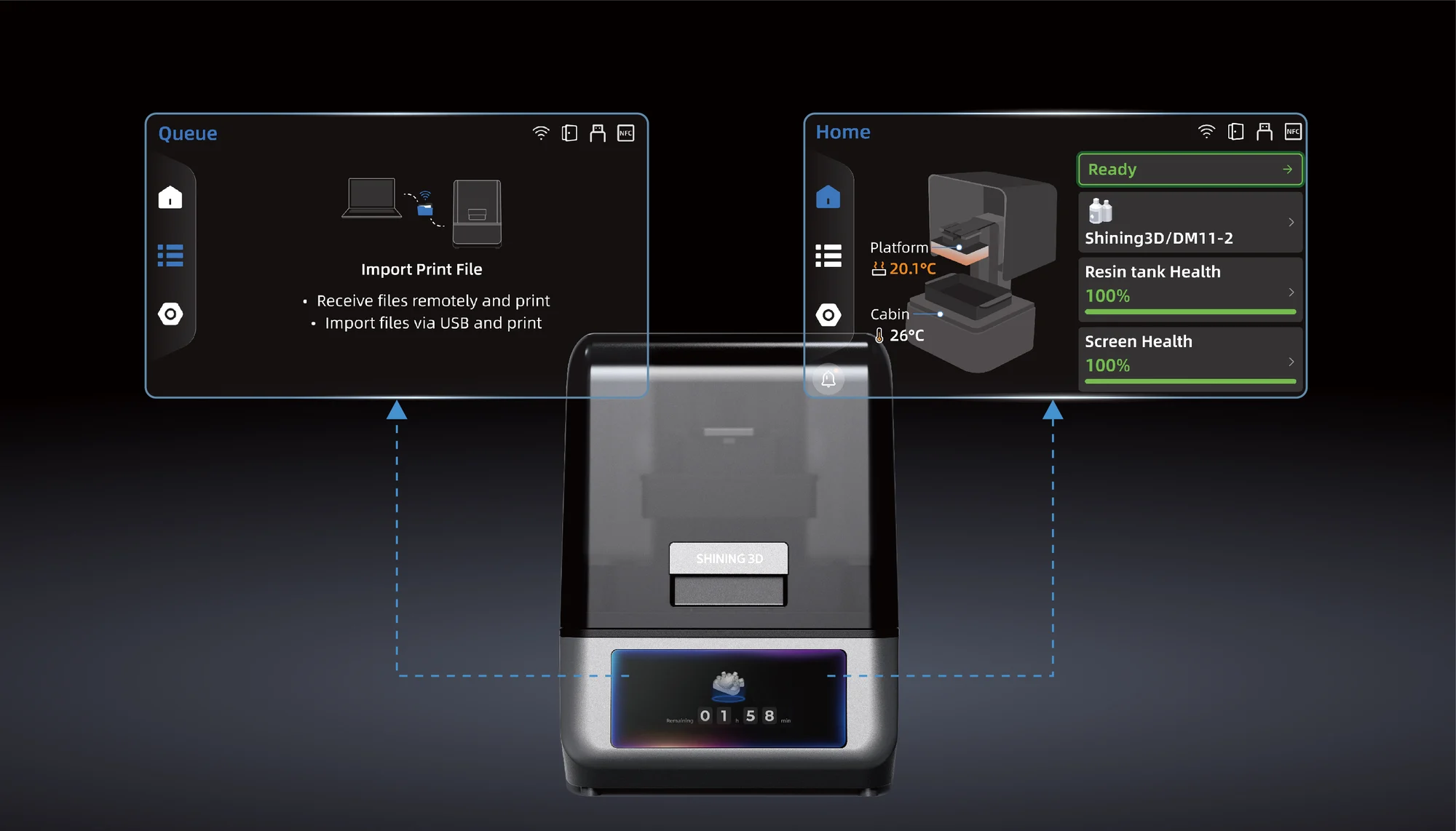
For clinics and laboratories using a dental model 3D printer, maintenance is not only about protecting hardware. It also involves managing materials, checking workflow settings, and ensuring that every printed model meets accuracy requirements. SHINING 3D Dental’s AccuFab-Aris is designed for digital dental manufacturing workflows, supporting applications such as dental models, surgical guides, restorations, dentures, and splints.
Why Dental Model Printer Maintenance Matters?
- Ensuring Printing Accuracy
Dental applications often require high levels of detail and dimensional consistency. A small issue with printer calibration, resin handling, or component cleanliness can affect the final printed result.
Regular maintenance helps a dental model 3D printer maintain stable performance over time. By checking key components and following recommended procedures, dental professionals can reduce unexpected failures and improve workflow reliability.
- Reducing Production Interruptions
In dental environments, delays can affect both laboratory schedules and patient treatment plans. A printer that requires frequent repairs or produces inconsistent results can interrupt daily operations.
A structured maintenance routine allows teams to identify potential problems early. Simple actions such as cleaning components, checking materials, and reviewing print settings can prevent larger issues.
Dental Model Printer Maintenance Checklist
- Clean the Printing Area After Each Use
One of the most important maintenance steps for a dental model printer is keeping the printing area clean. Resin residue, dust, and leftover materials can affect printing performance if they accumulate over time.
After each printing cycle, users should check:
- Printing platform condition
- Resin tank or material container
- Surrounding areas for spills or residue
- Small particles that may affect future prints
A clean printing environment helps ensure that the printer can accurately reproduce digital designs.
- Inspect and Maintain the Build Platform
The build platform is the area where printed models are formed. Proper platform condition is essential because poor adhesion or surface contamination may cause printing failures.
Regular checks should include:
- Removing leftover material carefully
- Checking for surface damage
- Confirming correct installation
- Ensuring stable attachment before printing
For a dental model 3D printer, maintaining the build platform helps improve printing consistency and reduces failed production cycles.
- Check Resin Management Practices
Resin quality directly affects printed model performance. Improper storage, contamination, or incorrect handling can influence printing results.
Dental teams should:
- Store resin according to manufacturer recommendations
- Avoid mixing incompatible materials
- Check resin condition before use
- Keep containers properly labeled
Different dental applications may require different material properties. Proper resin management helps maintain predictable results across various printing tasks.
- Maintain the Resin Tank or Material System
For resin-based printing systems, the material container is an important component that requires regular attention.
Users should inspect the tank for:
- Resin residue buildup
- Surface damage
- Contamination
- Signs of wear
A damaged or contaminated resin area may affect light transmission and printing accuracy. Regular inspection helps ensure that the printing process remains stable.
- Perform Regular Calibration Checks
Calibration plays an important role in maintaining the accuracy of a dental model 3D printer. Even advanced systems may require periodic checks to ensure that mechanical components and software settings remain properly aligned.
Calibration procedures may include:
- Checking platform positioning
- Verifying printing parameters
- Confirming software settings
- Reviewing print quality results
Following manufacturer guidelines helps maintain consistent output quality.
- Update Software and Review Settings
Modern dental printers rely on software for file preparation, printing management, and workflow control. Keeping software updated can improve system performance and compatibility.
Dental professionals should regularly review:
- Printer firmware updates
- Slicing software versions
- Printing parameters
- Digital workflow settings
A well-maintained software environment helps ensure that the printer operates effectively with current dental design systems.
- Clean and Inspect External Components
Maintenance should also include the outside parts of the printer. Dust and debris around ventilation areas, screens, and connection ports can affect long-term operation.
Regular cleaning should include:
- Wiping external surfaces
- Checking ventilation openings
- Inspecting cables and connections
- Keeping the workspace organized
A clean working environment supports safer and more efficient daily operation.
SHINING 3D Dental AccuFab-Aris for Reliable Dental Printing
SHINING 3D Dental develops digital manufacturing solutions designed for modern dental workflows. The AccuFab-Aris is a professional dental 3D printing solution that supports applications including dental models, surgical guides, temporary restorations, dentures, and splints.
The system is designed with features that support efficient dental production, including high-resolution printing capability, intelligent operation functions, and integration with digital dentistry workflows. These features help dental professionals create accurate models while maintaining a streamlined production process.
For clinics and laboratories using a dental model printer, selecting equipment with reliable workflow support is an important step. However, proper maintenance remains essential to achieving consistent long-term performance.
Creating a Maintenance Schedule for Dental Printing Equipment
- Daily Maintenance
Daily maintenance focuses on preventing small issues from affecting production.
Recommended tasks include:
- Cleaning the printing area
- Checking resin condition
- Removing leftover materials
- Inspecting completed prints
These simple steps help maintain stable operation.
- Weekly Maintenance
Weekly checks should involve a more detailed inspection of printer components.
Tasks may include:
- Cleaning frequently used areas
- Checking material containers
- Reviewing print quality
- Organizing supplies
Regular weekly maintenance helps identify early signs of wear.
- Periodic Professional Maintenance
In addition to routine user maintenance, professional inspection may be required depending on usage frequency and manufacturer recommendations.
Professional maintenance can help evaluate internal components, system performance, and long-term equipment condition.
Common Mistakes to Avoid During Printer Maintenance
- Ignoring Small Printing Issues
Minor problems such as incomplete prints or surface defects may indicate larger workflow issues. Addressing these signs early can prevent repeated failures.
- Using Incorrect Cleaning Methods
Different printer components require different cleaning approaches. Using unsuitable tools or chemicals may damage surfaces or affect performance.
- Neglecting Material Storage
Poor resin storage can influence print quality. Materials should always be handled according to recommended conditions.
Conclusion
Maintaining a dental model 3D printer requires regular cleaning, material management, calibration checks, and software maintenance. A structured checklist helps dental clinics and laboratories reduce downtime while improving printing consistency.
A reliable dental model printer can support a wide range of digital dentistry applications, but long-term performance depends on proper operation and care. With solutions such as SHINING 3D DENTAL‘s AccuFab-Aris, dental professionals can build efficient printing workflows while maintaining the accuracy and reliability required for modern dental production.
